|
EZPlanner |
|
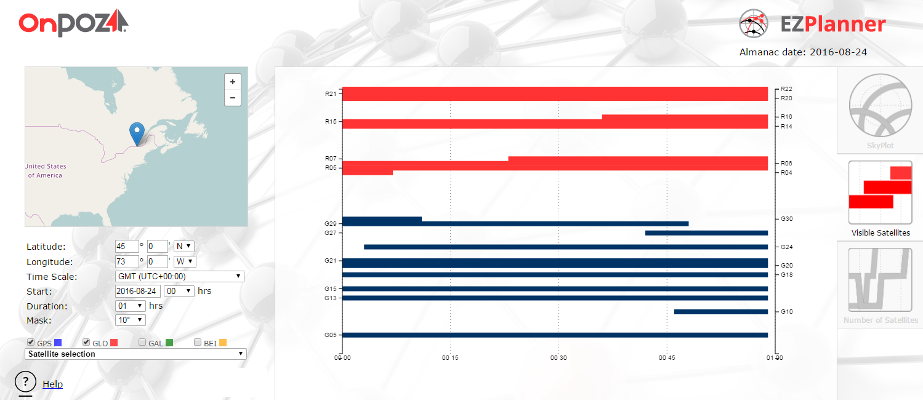
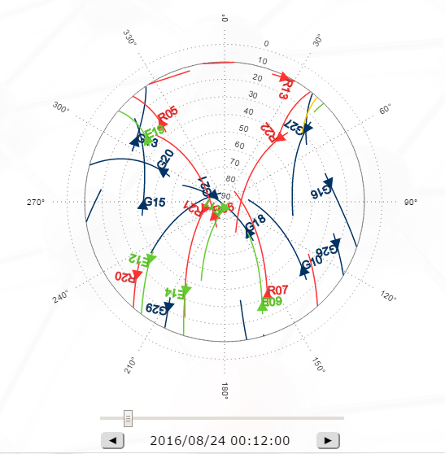
This web application has been designed to provide users with a tool to display, for a specific period, location and elevation mask, three type of charts: 1. The expected GNSS satellites position in the sky (SkyPlot) using a polar plot (azimuth/elevation). 2. The expected GNSS satellites’ visibility (which satellites are visible) . 3. The total number of visible satellites per constellation and for all constellations. The application can be launched from the EZPlanner menu in the OnPOZ Support web site. The main view is divided in three parts : · To the left, a settings menu allows to make the adjustments specific to our needs, such as location, time scale, start time, duration, elevation mask and satellite/constellation selection. · In the middle, one of the three charts previously described is presented. · To the right, a three-button selector enables us to switch between the three types of charts. |

|
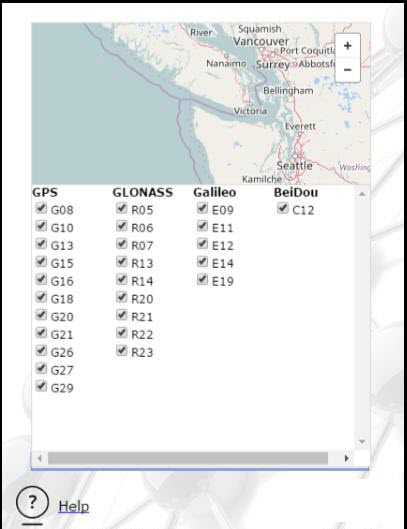
On the upper right hand, the date of the almanac used to make the calculations of the satellites’ positions in time is shown. The almanac is normally updated daily so you should have the most up-to-date almanac. Remember that the date you choose should be as close as possible to the almanac date (within a few weeks at most) to have accurate results. The location where the visibility/skyplot analysis is performed can be selected either by moving the marker on the map or by manually entering the coordinates. The duration of the analysis can be selected between 1 hour and 24 hours. Also, you can choose to show any combination of the following GNSS constellations : GPS, GLONASS, Galileo and BeiDou. More specifically, by clicking on the “Satellite selection” combo-box, you can select/deselect specific satellites you wish to be shown per constellation. With any change you make in the settings, the three charts are automatically updated. |
|
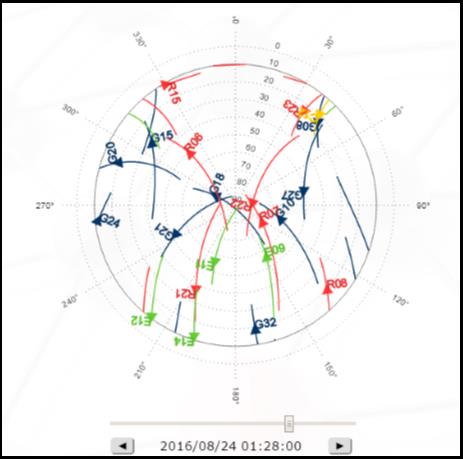
A special feature for the Skyplot chart is the possibility to check the satellites’ location for a specific epoch within the specified interval. Simply adjust the slider below the chart to move the satellites to a specific epoch. You can also use the two buttons below the slider to perform a step-by-step (1 minute step size) adjustments. |
|
Article: 000127 Related Products: OnPOZ Tools Last Update: 2016-10-19 12:55:39 |
|
Document information |