
|
How to configure your Archer2-Geo and Allegro2-Geo units |
|
A few settings under Windows Mobile are needed in order to use the Archer2-GEO or Allegro-2 at its full potential. |

|
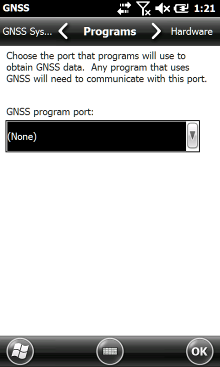
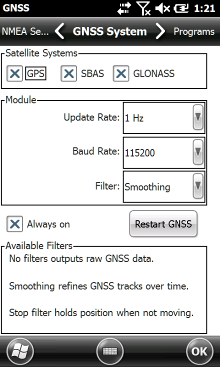
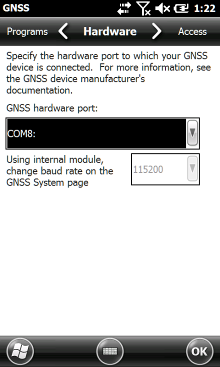
4. Press ok to apply the modifications, you will get back to the Settings > System page. 5. If your Archer2-GEO or Allegro2-GEO has a NVS internal receiver, select System > GNSS and configure the different tabs according to the parameters presented in the images below. 6. Press ok to apply the modifications. |
|
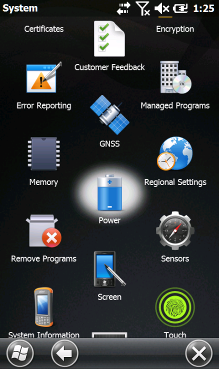
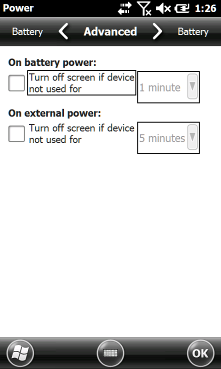
Configure the Archer2-GEO or Allegro2-GEO receiver 1. Go to Settings found under Start 2. Select System > Power; 3. To avoid being disconnected from the receiver, we recommend you modify the power saving options: in the Advanced tab, uncheck the power saving options. Configure the different options according to the parameters presented in the images below; |
|
Article: 000122 Related Products: Product Last Update: 2016-11-02 17:18:20 |
|
Document information |

|
|