|
How to select a specific base station |

|
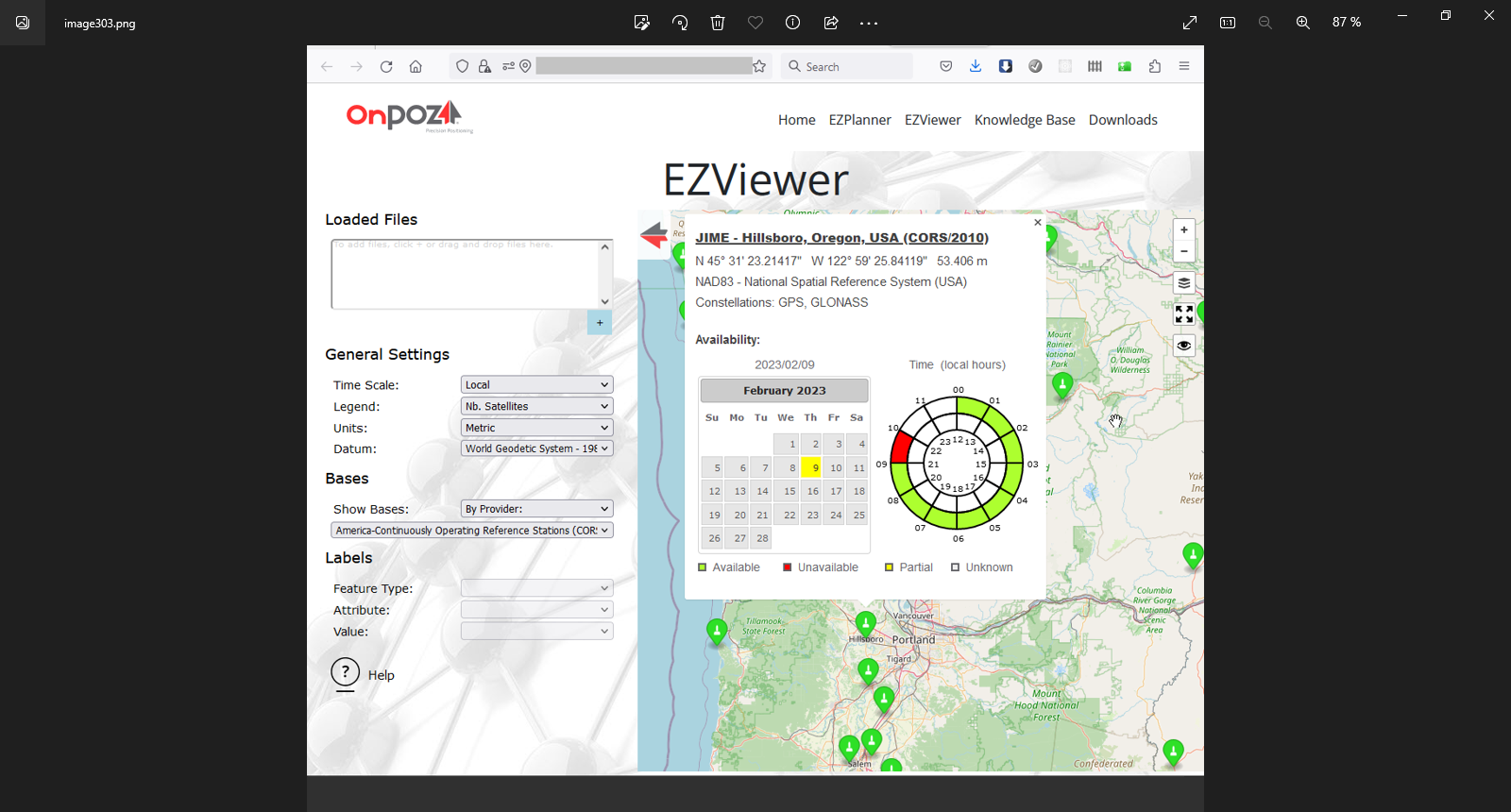
How to select a specific base station 1. You must know which provider and base you want to use before you select a specific one. Use EZViewer to find information on the providers and bases available in the processor.
■ Review the different providers in your area with the Select a provider drop-down list. Don’t forget to also review the providers that cover the entire World; they may have stations in your area; ■ Zoom in to your specific area; ■ Click on some specific base stations to get more information. |
|
By default, the software download the data of the closest base station. For different reasons, you may prefer to use a different base station. This document explains how to use one or a few specific base stations.
For example, you have a GPS & GLONASS receiver but the closest base has a GPS receiver (no GLONASS). In such case, you may prefer to select a base that uses both constellations, even though it is farther. |
|
2. Once you know which base station(s) you want to use, you can set the post-processing software accordingly.
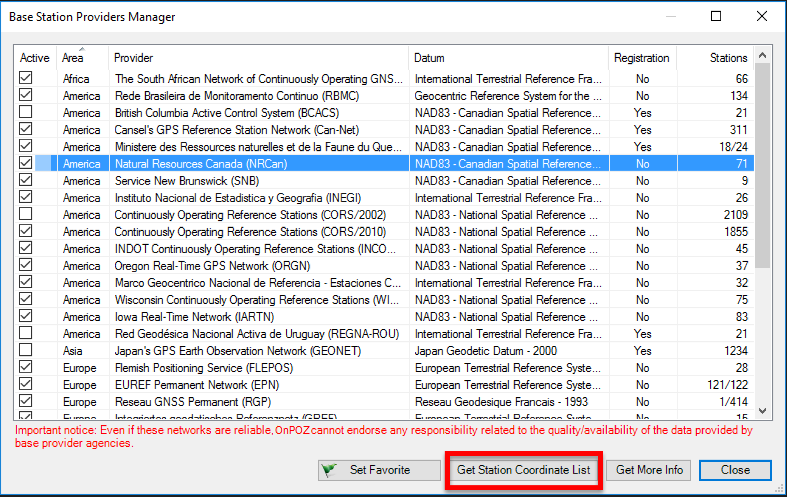
■ Start EZSurv; ■ From the main menu, select Tools > Base Stations > Providers Manager; ■ According to your area, uncheck the providers you do not want to use; NOTE: providers covering the World may have bases in your area; uncheck these providers if you do not want to use their base stations. ■ In order to select one or a few stations for each active providers, select the provider (one at a time) and click Get Station Coordinate List. |
|
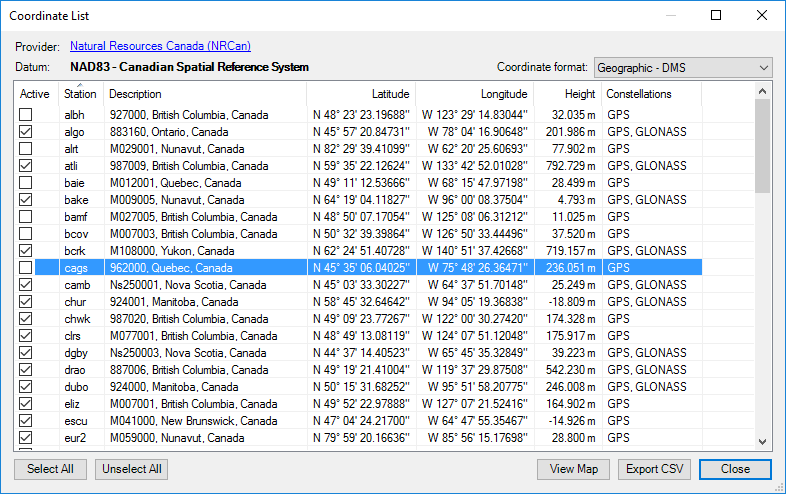
■ From the Station Coordinate List, uncheck the base stations you do not want to use. ■ When you selection is completed, click Close to close the Coordinate List |
|
■ Once the specific stations for each providers have been selected, click Close to close the Base Station Providers Manager. |
|
Article: 000095 Related Products: EZSurv Last Update: 2017-04-11 18:06:32 |
|
Document information |

|
|